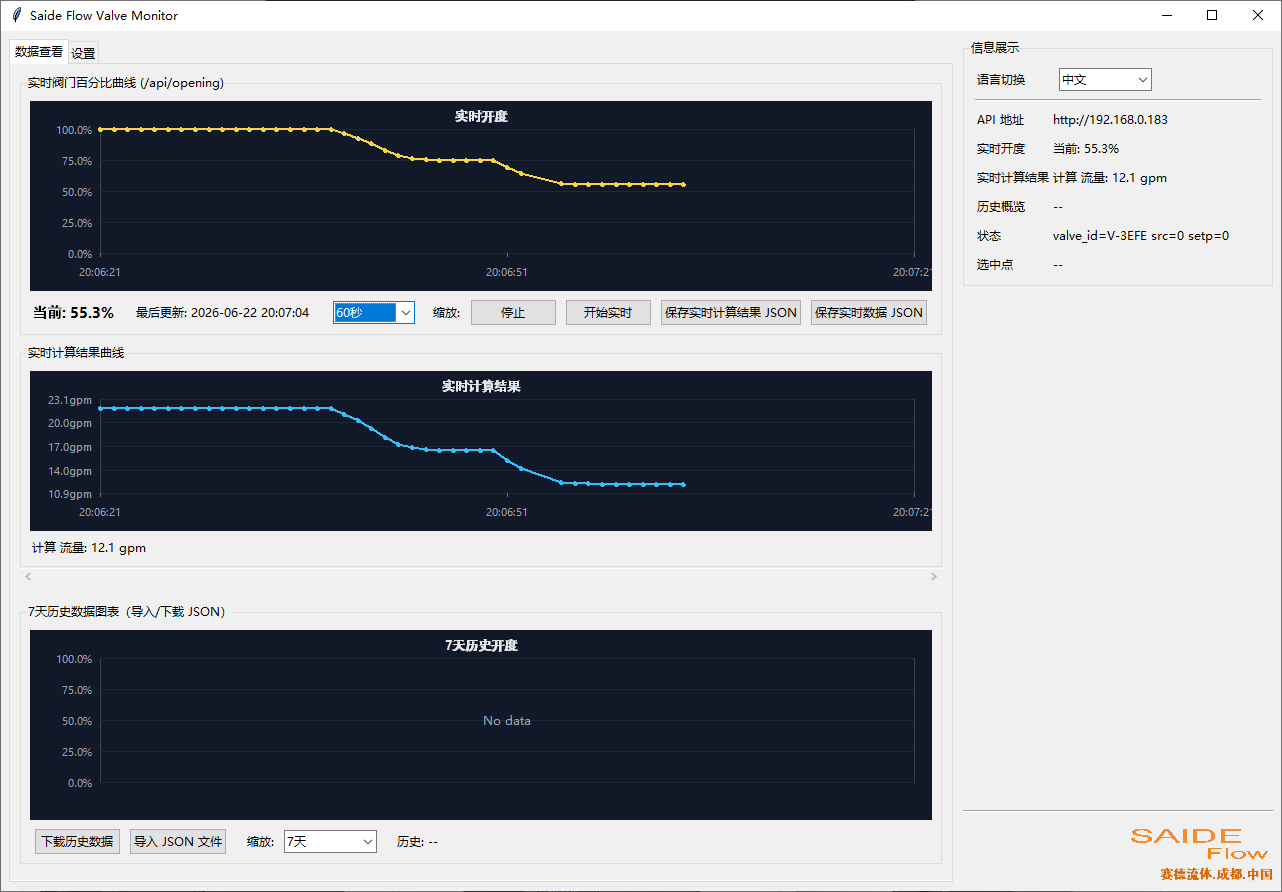
Calculating Operating Conditions via valve_monitor.exe
This is an auxiliary software running on the Windows system. By configuring SD series proportional control valves, it can obtain valve opening degrees. Users are required to configure the relational data between valve opening degree and Cv value or valve opening degree and pressure change in the background. At least 3 data points are needed, and the software will perform quadratic fitting for other data points.
For needle valves, given the valve opening degree and Cv value, under constant pressure conditions, we can calculate the flow rate value, or use the flow rate to calculate the pressure difference value.
For pressure valves, the set pressure value can be calculated based on the opening degree.
The above calculations are for theoretical reference only and cannot be fully used as basis data.
Software Settings:
First, the proportional valve should complete the LAN network configuration to obtain a LAN IP address. Then fill in the valve's IP address at position 1. If there is no LAN, it is necessary to connect to the valve's hotspot AP, and 192.168.4.1 can be used for configuration:
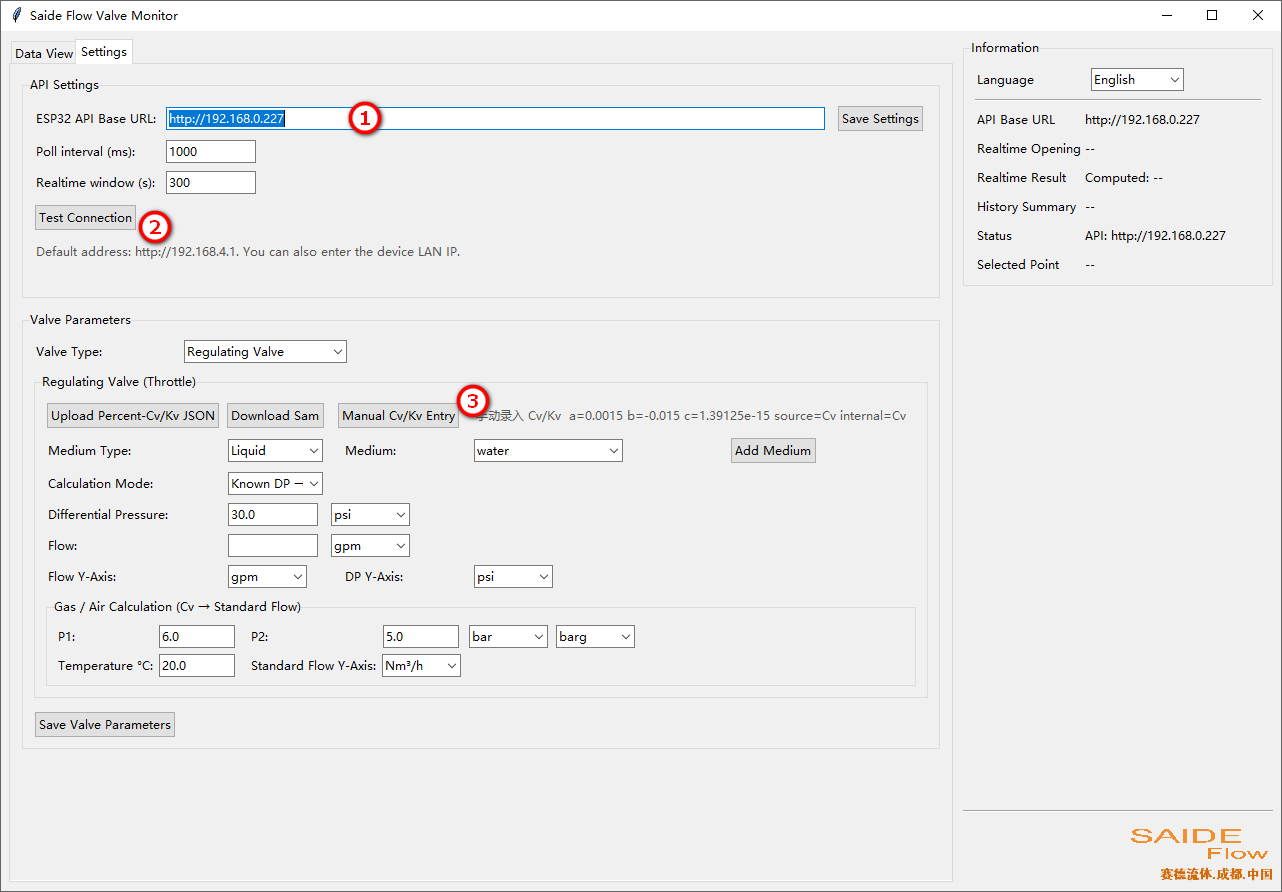
Click the test button (position 2) to verify the connection status.
Use the button at position 3 to enter the valve opening degree and Cv value parameters. After saving, the test calculation can be performed.