USB to RS485 module serial port debugging converter bidirectional communication with TVS protection, industrial grade, compatible with Windows 7/10
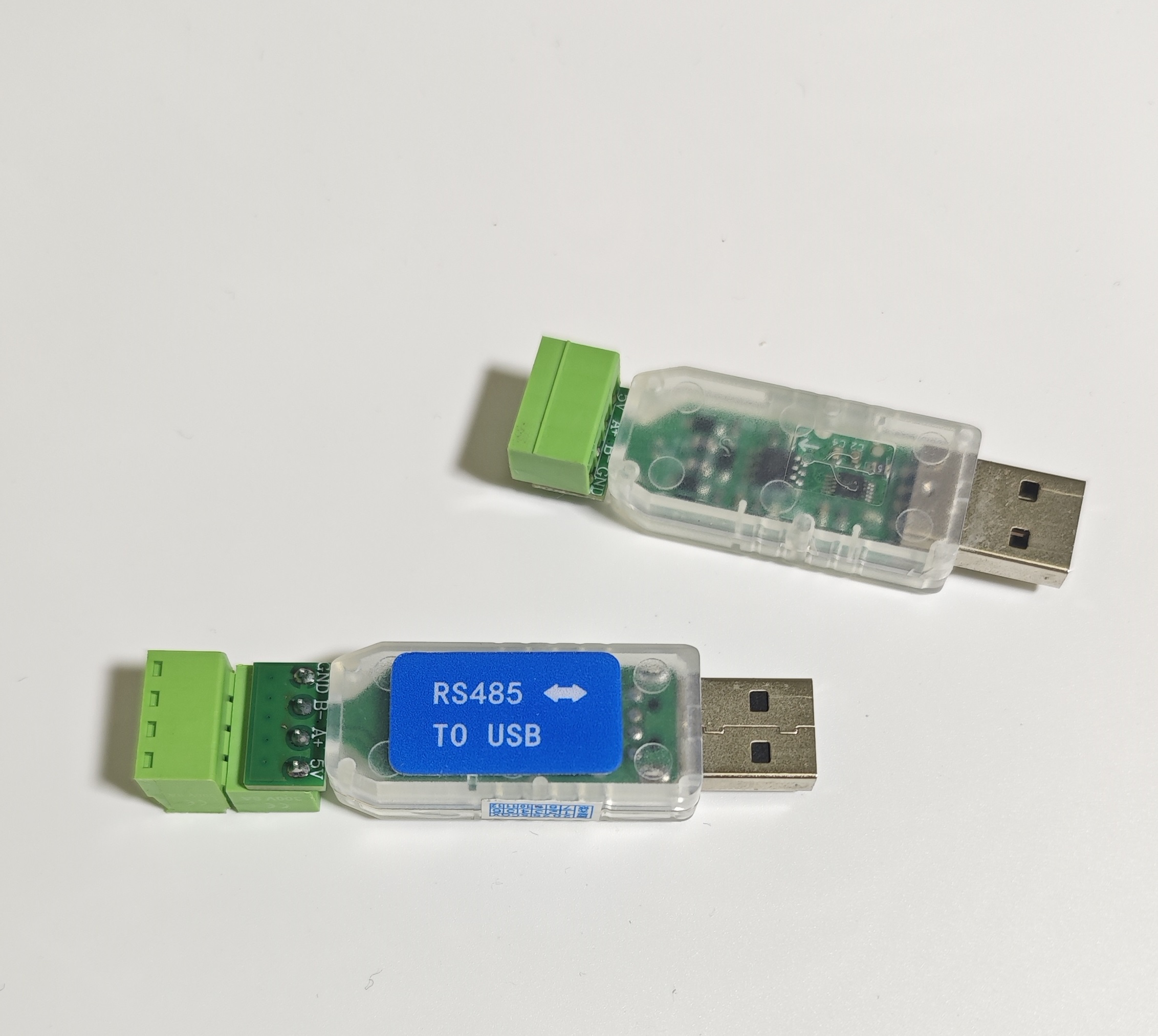
Speed: Theoretical 500Kbps, tested 2Mbps (Note 1) Distance: Theoretical 1200 meters, limited by conditions , tested up to 500 meters (Note 2) Stable & Reliable: Uses the mature and stable CH340 chip with multiple protections; self-recovery fuse protects the vulnerable host; bus TVS for ESD and surge protection.
Note 1: Test conditions: Two modules connected back-to-back, using ordinary unshielded cable, 20cm length. Note 2: Test conditions: Two modules connected back-to-back, baud rate 115200, using 0.3mm * 2-core shielded twisted pair cable. Practical application: Performance can be affected by cable material, baud rate, environmental interference, and other factors.
Driver Installation
Some systems are plug-and-play and will generate a COM port automatically. Otherwise, a driver needs to be installed. Download the driver from the official website:
- Visit the chip manufacturer's website in your browser: [download](https://115cdn.com/s/swwxub8339r?password=z7f1&# Driver) Access Password:z7f1
- Click on 【Services Support】 at the top -> 【Downloads】
- Click on 【Drivers】 on the left side
- Select category 【USB to Serial Port】, model 【CH340】, click 【Search】 (CH340 uses the CH341 driver)

- Click the driver corresponding to your system, download after the page redirects, install, and restart.
Common Issues
- Failure to open the serial port, possibly because it is occupied. A single serial port cannot be opened by multiple programs/software simultaneously.
- Checking the Port: Right-click on 'My Computer' (or 'This PC') -> Manage -> Device Manager -> Ports (COM & LPT)
- IDE ATA/ATAPI controllers
- USB Serial Port (COM2)
- USB-SERIAL CH340 (COM2)
- ... (Other potential listings)
- Communications Port (COM1)
- How to Wire: 485 devices can communicate in parallel on a bus. Only two wires are needed: one connects to the A terminal of all devices, the other connects to the B terminal of all devices. Different devices might use different labels, common ones include: A / A+ / D+ / DATA+ / 485+ / T/R+ B / B- / D- / DATA- / 485- / T/R-
- How to Power: The module draws power from the USB port and does not require an external power supply. The SY/GND terminals on the module are the USB positive and negative outputs, with limited current capability.
- Data Direction: Automatically controls data transmission and reception, no user intervention needed.
- How to Change the Port Number: In Device Manager, right-click on the current port, select Properties -> Port Settings -> Advanced -> COM Port Number -> OK.
Dimensions
